Changing team account ownership
Changing your team account ownership
Written By Colin Pace
Last updated Over 1 year ago
If you’re interested in changing your account ownership within the Team, you would have to reach out to us to complete the ownership change.
Ownership change process
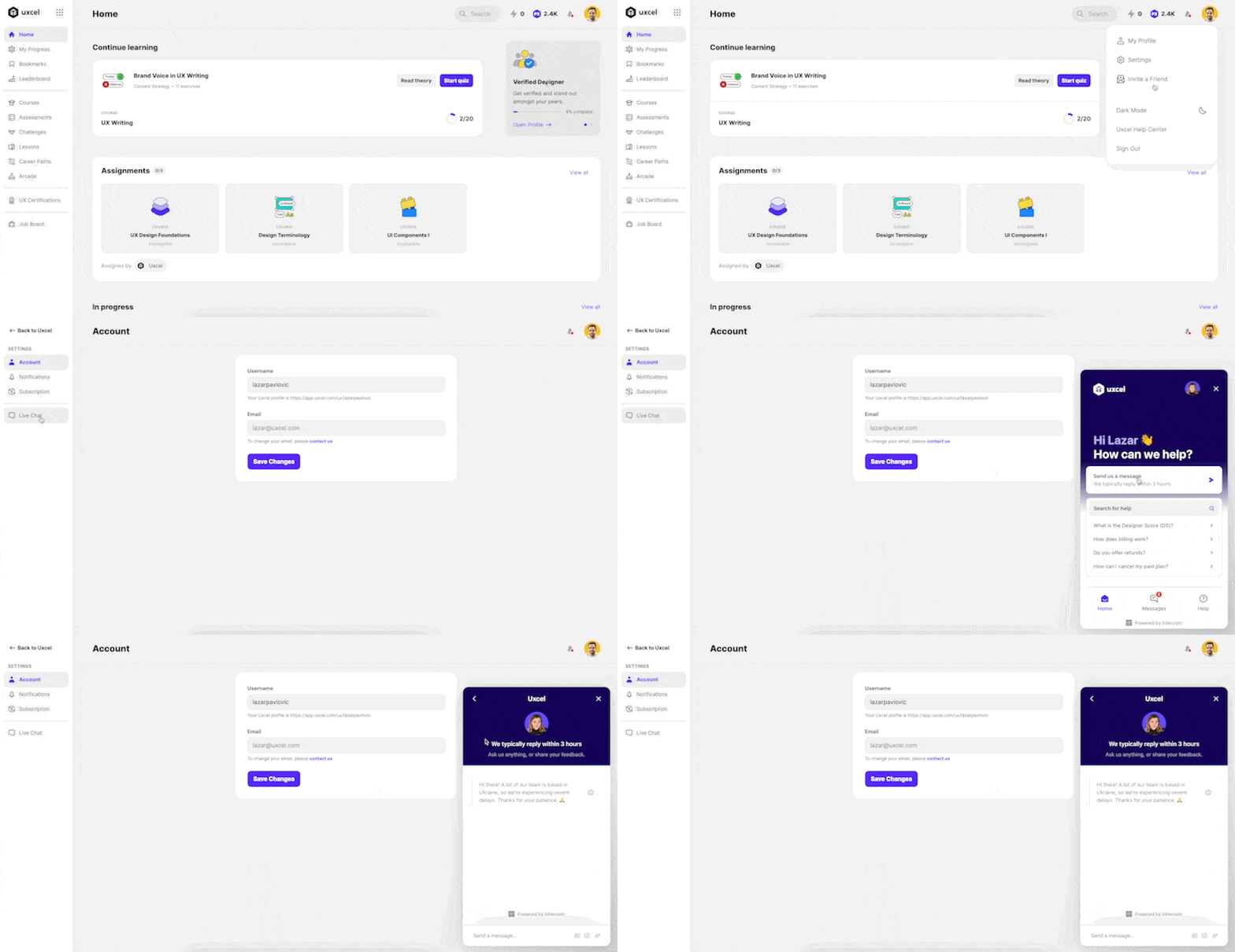
-
Click on your profile avatar at the top right corner
-
Click on Settings
-
On the left side navigation, click on Live Chat
-
This will trigger Intercom, so you can send us a message directly with your request
Was this helpful?
Still need help? Ask the team